
GRAHAM CELAREK
Added animations to robots in the Bar, added train animation for subway busking.


GRAHAM CELAREK
Added animations to robots in the Bar, added train animation for subway busking.
All the venues now have the animations, and Park Busking have a hoard of squirrels passing by the during the intermission. The main goal for the animation was to make the animation not to be too distracting for the player during the rhythm game.


Added the processing stack for the game make it looks better. Make the works with UI 
Setup LayerMask for the Lights, Organize the super mess environment in the main map, and name them properly. Bake all the lights and environment.
Update lobby with different UI I just changed the color
HighScore Save and Load Showing in the Reward Screen, also The final reward groupy calculation.


Make Key control not allow be duplicate

Groupy Level Up Funtion Animation


fast travel worked before the script got deleted. New script loaded the player into the scene without clipping into the floor and moved the player into the subway
The new script, before it got deleted, prevented Legman from blocking the venue entrances. I changed the ranges in which he “teleports” in Random.Range while keeping the y, and z values the same.

I did character sprites + animations for the Subway rival – one idle animation, and one playing guitar.


The opening of the rhythm game now has an animation that gets the player ready. Introducing new elements of the UI separately that gives the player time to process all of it.
Post Processing has been added to multiple parts of the game
Default:

Now:

Score screen and pause menus have different art depending on the venue.
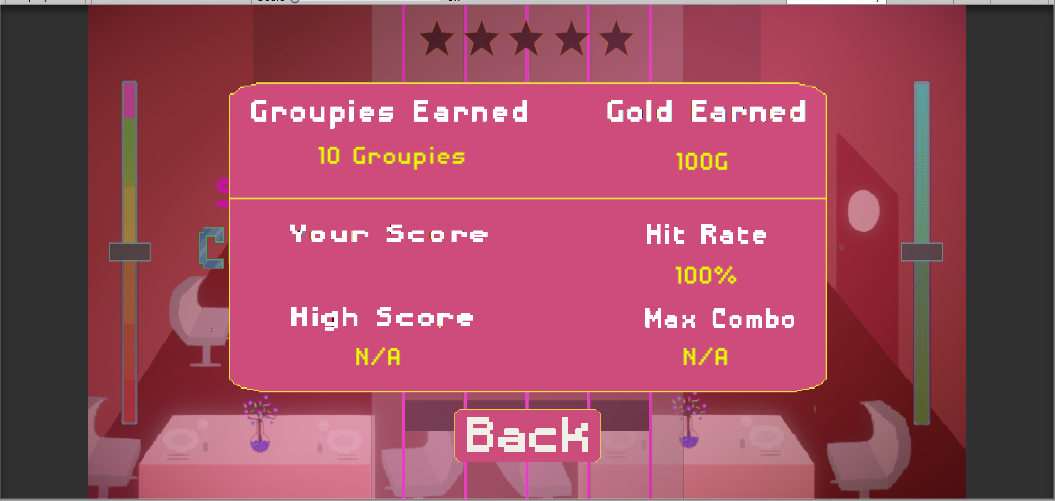
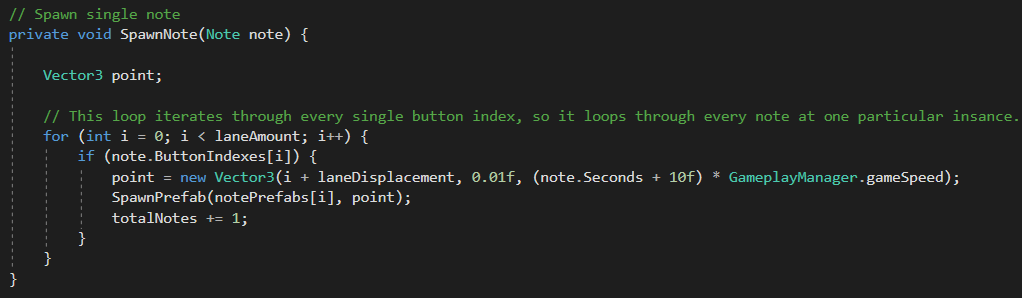
The rating system was not working as intended previously. What turned out to be the problem was the way we were obtaining the amount of notes in the scene, namely, we weren’t. We were getting every time you needed to hit a note. So if two notes needed to be hit at the same time it had counted that as 1 note. Now the amount is calculated for every note that is spawned.


I added the train and squirrel animation inn to the right busking areas. added the new art assets for the busking areas.
I did all the rest of the animations needed, and Charted the FINAL SONG for the Music Festival.


The Easy and Medium charts are done for the Restaurant and Nightclub base songs and the ambient, hip, and experimental choruses.

